
Tag Archive for: beginner

The Beginner’s Edge: Turning Constraints into Creative Leap


In recent weeks, I have done some workshops with artists, and a question has come up a few times about limitations in music production. That question was:

How can I deal with the fact that my imagination and ideas are not following the technical capacity that I have?

In other words, the artist has a lot of imagination about what they would like to do with their music, but they feel that the learning curve, or the current skills they have in music production, are too limited to express what they think and envision. This is a common problem for beginners, but you might be surprised to learn that even experienced producers face it from time to time. It just appears in different forms depending on where they are in their development.

In past articles, I discussed how what we have in mind is often more or less a proof of concept of something that could be done. But extracting these ideas is not simple. Sometimes, those ideas are not even that interesting once they are translated into a technical context, even if they seemed exciting in our imagination. There is often a gap between the fantasy of the idea and the reality of executing it.

In this blog post, I want to explain how to deal with that situation. But beyond that, I also want to explain why limitations in music production can actually become a leverage for more creativity than you think. What many beginners see as a weakness can become a direction. What feels like a lack can become a framework. And what seems frustrating at first can end up being the exact thing that helps you build your skills, your taste, and even your artistic identity.

The Frustration of Not Knowing Enough


What I often see is artists who really connect with music and have good taste—or rather, a more refined taste. They listen carefully. They know what moves them. They hear things in tracks that excite them emotionally and aesthetically. But when they start making music themselves, they immediately find themselves in a position where they realize that, at first glance, whatever they do sounds amateurish to them.

That part is underwhelming for someone who sees their favourite artists making music and assumes that, after watching multiple YouTube tutorials, they can achieve similar results. The internet makes everything look accessible. It gives the impression that knowledge is available, so execution should be quick. But that is not how art works, nor how craft develops.

For many people, music is not just a hobby. It is a way to find validation in a community, but it is also a way to express emotions in their own language. They want to communicate something that they feel. They want to create something that sounds personal and meaningful. So when they try and the result does not match their taste, that gap feels painful.

Especially at the beginning, there is often this persistent inner voice saying, “I don’t know enough.” Then that voice nourishes another one that feels it must find a solution for this ongoing problem. Most of the time, people identify the solution as needing more plugins, more skills, more knowledge, more theory, more tutorials, more gear. Many believe that freedom will come from knowing everything.

This is not a new behaviour. People often respond to uncertainty by accumulating tools. In music production, that often becomes digital hoarding: collecting plugins, sample packs, courses, templates, YouTube videos, bookmarks, PDFs, and all the potential resources they might need someday.

It is a bit like going camping for the first time. Before you have ever done it, you go to the store and buy every possible thing you imagine you might need. Then you arrive at the camping site and realize you will probably use about 20% of what you bought. Music production works the same way. You often need less than what you have.

The problem is not limitation. The limitations are actually a direction for you to take.

See it as poetry. If you write poetry in a language that you do not really master, or if you read poetry from someone who is trying to express themselves in your language, you will quickly notice that the person may have limited grammar and vocabulary. But that does not stop them from expressing something real. It may not be as elaborate as what a professional poet can do, but it can still be touching, direct, and honest.

More than that, you also notice that when someone is trying too hard to say something beyond what they can really handle, it shows. There is strain. There is awkwardness. There is often a distance between the intention and the execution.

Music is often the same. If you remain within what you can do, you can sometimes sound more solid than if you try to accomplish something you do not yet master. That does not mean you should never challenge yourself. It means that trying to speak clearly with the vocabulary you have can often be more effective than trying to imitate fluency you do not yet possess.

This is one of the first lessons about limitations in music production: limitations not only reduce your options but can also protect the strength of your expression.

The Illusion of Unlimited Possibilities

As someone coming from the 90s, when resources and tools for music production were far more limited, today feels like the exact opposite. Now we have tutorials for almost everything we can imagine. There are music schools, online courses, coaching programs, sample libraries, synth plugins for every taste, AI assistants, and endless content explaining how to fix any problem.

For each challenge you run into, there are multiple possible solutions. On paper, that sounds ideal. It looks like abundance, and abundance gives the illusion of power.

But this abundance often creates a different problem: infinite choice.

An infinite number of choices can result in creative paralysis before someone even starts. People have loads of ideas, but they cannot manage to find a workflow. They struggle to finish projects. The exploration remains shallow. Even with all the assistance they have, they get lost in the details. Precious ideas that initially felt alive end up being scrapped because they were diluted by too many options.
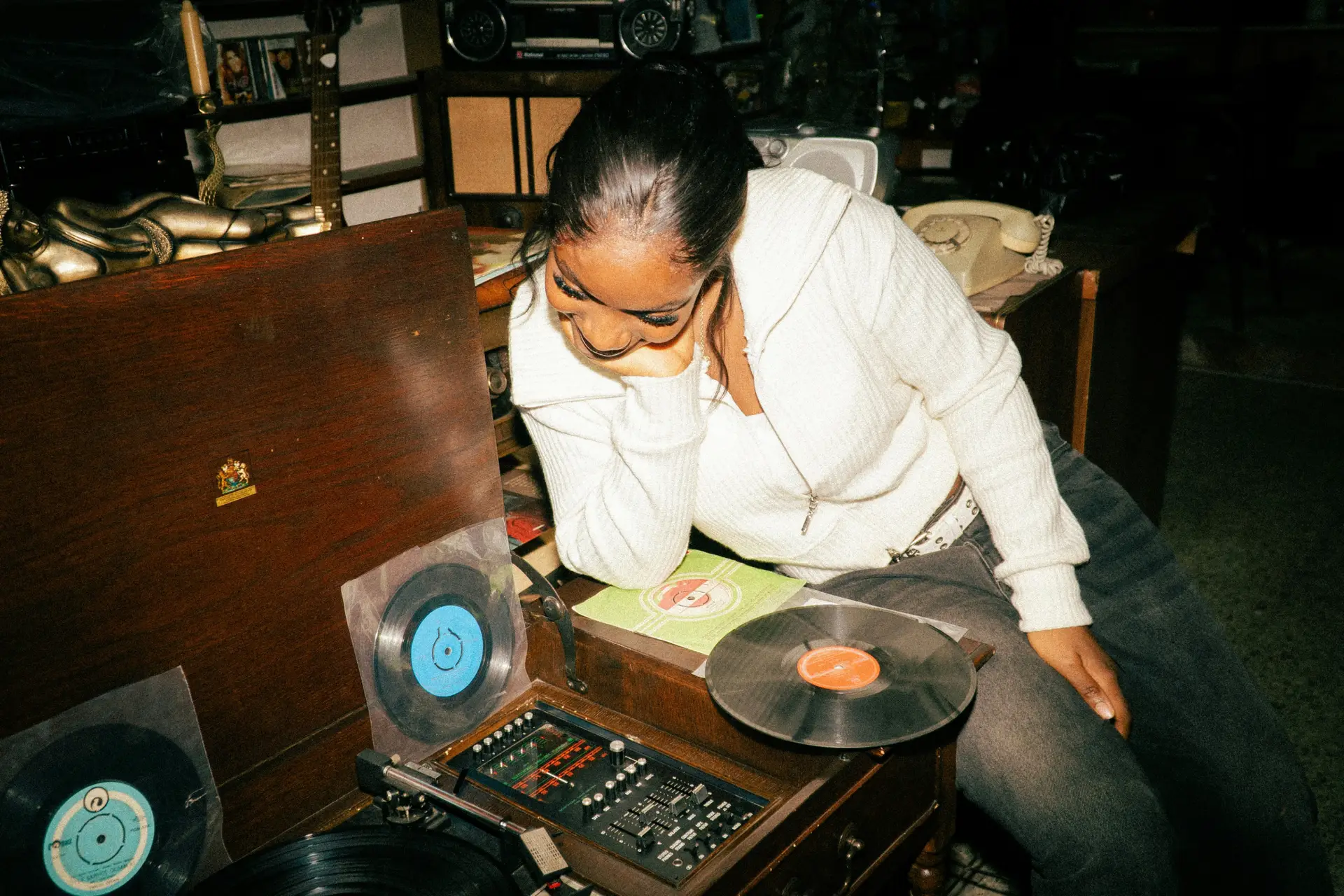
example of limitations in music production using minimal tools

An example of limitations in music production using minimal tools – Music lovers feel underwhelmed when making their first song.

Too many options dilute intention.

This is one of the biggest hidden problems of our era. Beginners often believe the issue is that they do not have enough. But very often, the issue is that they are facing too much. Too many tools, too many possible directions, too many solutions, too many reference points, too many voices telling them what the “right” way is.

In my own technique of work, where I explain how a non-linear workflow can be used to produce music, one thing I insist on is that projects have to come from the same core or seed. It is important to have branches, yes, but it is equally important to keep them connected to a center. If everything branches endlessly, you lose the essence of the track.

That is why it is useful to limit yourself to a set of tools. For example, if you want a specific sound as an artist, choose one synth or one sound generator and work from there. It gives you enough material to explore without constantly shifting your foundation.

The main issue with unlimited possibilities is that they create the impression that you have everything under control because solutions are available. But having access to solutions is not the same thing as knowing how to express yourself. The tools do not automatically solve the problem of meaning. The tools do not express your idea for you. They are only there to help you shape it.

You still need to tie the knots and connect the dots yourself.

In other words, the tools do not express you; you express the ideas.

That is why limitations in music production can be so useful. They dispel the illusion that the answer lies elsewhere. They bring you back to what matters: taste, decisions, execution, and repetition.

What a Limitation Actually Does


A limitation can be a tool. It can even become a way of expressing yourself.

One of the first exercises in limitation that I give to students is to work with a reference track. Many people resist this idea at first because they think a reference will somehow remove originality. But once they start using one, they often realize that the reference itself gives them limitations on arbitrary decisions such as:

  • the length of the track
  • its energy
  • its speed
  • its tone
  • the root key

All these things are what I call soft limitations. You can still move around them, but as a starting point, they give a direction. They help you avoid spending energy on superficial decisions that can otherwise drain your focus before the real work even begins.

This is one of the hidden strengths of constraints: they reduce decision fatigue. Instead of asking yourself a hundred open questions at once, you narrow the field and move.

A limitation also creates identity.

A good example is Detroit Techno or Acid House. In the early days, many artists had extremely limited studios. They bought gear they could afford, sometimes even things people discarded, and they made music using only two or three machines. Those limitations forged a sound. Even now, with all the plugins and possibilities we have, people still want to recreate music that comes from those same few ingredients: a TB-303, a Roland 909, a drum machine, a couple of synths, minimal effects, and a direct workflow.

That is a perfect example of how limitation can create an identity for an artist or for a whole genre. When you have fewer tools, you tend to use them more deeply. You learn their character. You repeat certain gestures. You build taste through habit. That consistency becomes style.

Another limitation beginners often resist, but that can be an excellent starting point, is limiting yourself to samples—or, preferably, loops and ideas made by someone else. Many people reject this because they think using someone else’s material is less creative. But it can actually be a powerful way to focus your learning.

If you use samples, you can spend more energy on arrangement, mixing, editing, chopping, and transformation. The creativity then comes from how you organize and reinterpret the material. There is nothing wrong with learning one layer of the craft at a time.

Personally, the kinds of limitations I like to set for an album or a series of tracks can be things like:

  • one preset in a synth
  • eight channels maximum
  • one type of reverb
  • one palette of drum sounds
  • one sound source across multiple sketches

If I take one preset and make eight songs from it, they will all sound a bit similar. I can still change the mood, key, speed, density, or tweak some parameters, and each one will feel different. But there will be coherence.

This is something you hear often in Dub Techno. Producers use very similar sonic material from one track to another, but by changing timing, mood, layering, and space, they build variety. Dub Techno has sounded related to itself for decades, and yet people continue to love it because that consistency created a culture and a recognizable direction.

This is worth remembering: limitations in music production do not only help you finish tracks. They can also help you sound like yourself.

The Skill Loop: Why Constraints Make You Better Faster


When I host artists’ retreats, and people are impressed by some of the knowledge I have, they often tell me they wish they knew as much because they feel it would make them faster.

Then I tell them something that usually surprises them:

Sometimes, the more you know, the slower you get.

The more knowledge you have, the more details you become aware of. You hear more flaws. You notice more possibilities. You recognize more potential improvements. All that awareness can become a burden if it interrupts momentum. In some cases, knowing more means spending more time fixing things that a less experienced version of yourself might have simply let pass.

Sometimes, when you know less, you move faster because you pay less attention to all the little problems that could stop you. That can actually be an advantage. It can even create charm.

I remember that when I knew less than I do now, I would sometimes work much faster because I did not bother fixing certain things that, today, I might identify as mistakes. Yet some of those older imperfections had a beauty to them. They had spontaneity. They had life.

In a time where so much is moving toward artificial perfection—and now increasingly toward AI-generated smoothness—mistakes become one of the last visible traces of the human hand. Imperfection can create character. There is charm in a result that feels lived, unstable, slightly uneven, but expressive.

One of the biggest strengths of having a limitation is that you repeat the same tools more often. Because of that repetition, you begin to notice details faster. You refine instead of constantly restarting. You start building an internal map of what works and what does not.

This is why beginners should not underestimate the value of reuse. Saving your own presets, making your own macros, building your own templates—these are often more useful than learning a hundred scattered techniques. The things you reuse become part of your language. Technique matters, but reusable systems support consistency and speed.

Once you have a limitation and focus on certain details, this creates:

  • deeper listening
  • muscle memory
  • faster decisions
  • better pattern recognition

The basic cycle becomes simple:

Try → Repeat → Refine → Improve

That is the skill loop.

And that is one reason limitations in music production can accelerate growth. They keep you close to the same terrain long enough for you to actually learn it.

Without limitation, many beginners end up starting over all the time. New plugin, new genre, new workflow, new tutorial, new approach. They remain in exploration mode forever, but do not stay in one place long enough to develop depth.

With constraints, depth becomes almost unavoidable.

Expression Within Limits


Working with limitations is, to me, very similar to what happens in poetry. You accept that you cannot say certain things beyond a certain scale or spectrum. That forces you to become creative with the words you do have.

If I do not speak much Japanese and try to write a haiku, it might follow the rules of poetry, but the language I use will be limited. It might sound childish in places, but that does not mean it cannot still be touching or beautiful. I can still express something. The limitation might even create a form of sincerity.

example of limitations in music production using minimal tools

Poets work within what they can express.

This is also how some classically trained musicians listen to very simple electronic music. Even if they understand that the complexity is low compared to classical forms, they can still appreciate that expression is happening at another level. The idea is not wrong simply because it is simple. There is still emotion, tension, personality, and intention in it.

Quite often, simplicity can take the artist very far because simplicity forces synthesis. You summarize your idea. You remove what is not needed. You retain what is essential.

When you only master certain concepts, that can actually work to your advantage because clarity becomes more important than complexity. And with music, that matters a lot. It is often easier to be complex than to be clear. Complexity can hide uncertainty. It can create the illusion of depth. But too much complexity can also create chaos, confusion, and a lack of impact.

Simple ideas, well expressed, often feel stronger than complex ideas that are poorly executed.

Execution is always possible, no matter what your technical level is. What becomes difficult is the impulse to impress. Many artists start adding complexity because they are worried they will not be taken seriously, or because they fear people will find their work boring. But what often makes music feel boring is not simplicity—it is a lack of conviction, a lack of movement, or a lack of spontaneity.

There is something powerful in fully owning the level you are at and expressing yourself clearly from there. That is another lesson beginners can learn from limitations in music production: having less can actually force stronger communication.

How Limitations Create Style


One thing that is often underestimated is that limitations can help create style long before an artist consciously “finds” their sound.

Many producers imagine that style appears once they have mastered enough tools to fully choose who they want to be. But often, style appears much earlier, through repetition under constraint.

When you use the same synth often, rely on the same group of samples, prefer a narrow BPM range, build tracks around similar kinds of contrast, or keep reaching for the same reverb or the same chord shapes, you are already forming a style. It may not be fully conscious yet, but it is there.

This is one reason so many artists who had limited means ended up sounding unique. They did not have the luxury of reinventing their entire setup every month. They learned their few tools deeply. Their recurring choices became a language.

And that is still true now.

A producer working with one instrument for six months may develop a far more recognizable voice than someone working with thirty plugins in a scattered way. The first person will accumulate behaviour. The second may accumulate options.

There is a tendency among beginners to think that identity comes after mastery. But identity often comes from adaptation. It emerges from the relationship between what you want to do and what you are currently able to do. That friction creates choices. Those choices repeat. Repetition creates a fingerprint.

So when you feel limited, remember that limitations may not only be helping you improve technically—they may also be shaping what others will eventually recognize as your sound.

Practical Ways to Use Limitations in the Studio


Coming back to the initial problem—when people feel their ideas are not matching their skills, or when they have a sound in their head that they cannot reproduce—there are different ways to work with that.

A simple way to reproduce a sound you hear in your mind is to first learn how to describe it. Try to vocalize how it is built:

  • Is it short or long?
  • Is it high-pitched or low-pitched?
  • Is it stable or dynamic?
  • Is it bright or dark?
  • Is it dry or spacious?

Then you can go through the samples or presets and try to find something close. This may seem basic, but learning how to translate vague imagination into a few concrete characteristics is already a huge step forward.

Another way to deal with your limitations is through collaboration. Teaming up with a friend or fellow musician who has strengths where you feel weak can help you express yourself more clearly. Sometimes the gap between your idea and your current skill can be bridged by someone else’s practical knowledge. That is not cheating. That is one of the oldest ways artists learn.

But if you want to actively practice using limitations in music production in a creative way, here are a few suggestions you can explore today.

One Tool Only


Try making a track using only one synth, and that alone.

This can be surprisingly rich. Restricting yourself to one instrument forces you to learn sound design, arrangement, contrast, and variation from inside a single vocabulary instead of escaping into new tools each time you hit a wall.

Recently, during a retreat, I did an exercise in which I built an entire song from a single MIDI clip. It was challenging, but it turned out to be very interesting. More importantly, it led me to build other ideas quite fast afterward because it shifted my attention from hunting for material to transforming what was already there.

Use a Time Constraint

A second idea is a time constraint, which I practice almost every time I go to the studio. I impose a time limit on what I am going to do.

In my case, I often like sessions of around 20 minutes. I find that the quality of my ideas drops after that, and I prefer to keep the best of myself for each track rather than pushing through long sessions where the signal weakens.

Another indication that I need a break is when something starts to feel slightly difficult while I am in the flow. Friction is a very useful cue. Yes, sometimes you need to work through it, but sometimes it is simply a sign that the session has reached its natural end. After around 20 minutes, my tolerance to friction often diminishes, and it becomes harder to get the best out of my ideas.

Limit the Track Count

A third limitation you can explore is track count.

I personally like working with between four and eight tracks as a starting point. When clients send me projects with 70 or more stems, I often find it overwhelming. Most of my songs rarely have more than 20 or 30 channels, and even then, I usually feel some could be removed.

Reducing the track count forces organization. It makes you think in terms of function and priority. It also encourages habits and techniques that lead to unexpected results because you stop solving problems by adding more and more layers.

Use a Sound Source Rule

Another strong constraint is the sound source rule. You can decide to work only with samples and avoid MIDI entirely. Or you can decide all your samples must come from one record, one field recording session, one drum machine, one synthesizer, or one pack.

In hip-hop, producers have long made entire worlds out of one sampled record. Sometimes even the drums come from that same source. That kind of minimalism often creates a richness that a huge pile of unrelated samples cannot provide.

Separate Intentions by Session

This one is not exactly a limitation but rather an approach that functions like one.

Try to have one intention per session.

One thing I like to do is prepare sessions in the morning without trying to make music. I just set things up. I choose samples, presets, instruments, and templates, fix routing issues, and remove anything that could cause technical problems later.

Then, later in the day, I reopen the project. At that point, my mind is not in problem-solving mode anymore. It is available for expression.

Sometimes I even dedicate an entire session to choosing material for a future track. I will pick all the sounds and tools I want to use, but I will not compose yet. I will compose later with what I prepared.

This is a very useful discipline because it prevents you from trying to be both a technician and an artist at the same time. You are limiting yourself to one action. And as I explain in my non-linear technique, you can divide studio work into phases such as:

  • R&D
  • hook finding
  • mock-up
  • arrangement

Then you limit yourself to one phase at a time.

That kind of structure is deeply helpful for beginners because it gives their minds something realistic to do. It narrows the scope and removes the pressure to solve everything at once.

The Paradox: Freedom Comes After Constraint


Beginners and professional producers both want freedom. But freedom without control often brings chaos. Constraint, on the other hand, builds control, taste, and confidence. Once those are in place, freedom becomes meaningful.

This is the paradox: what first appears to reduce your possibilities is often what gives your creativity shape.

You do not need more tools or more tutorials as much as you need to use what you already know more deeply. You need intimacy with a smaller set of possibilities. You need repetition. You need to practice expression inside a narrower frame until that frame becomes second nature.

Your limitations are not a wall. They are a path.

The more you embrace limitations in music production, the clearer you begin to see how to express yourself within your current vocabulary. From there, your vocabulary expands naturally—not because you forced it, but because practice made it grow.

There is also something deeply reassuring in this. You do not have to wait until you are “ready” to make meaningful music. You do not need perfect fluency to say something worth hearing. You can work with what you have now. You can focus on what you can do, and by doing so, you become better at it. Over time, that focused practice increases your capacity.

And that is really the beginner’s edge.

A beginner often believes their lack of mastery is only a weakness. But when they accept constraints, they gain something many more advanced artists sometimes lose: directness. Hunger. Simplicity. A willingness to work with what is there. Fewer habits. Fewer layers of second-guessing. Less temptation to hide behind complexity.

So if your ideas feel bigger than your skills, do not only see that as a frustration. See it as the beginning of a relationship. Your role is not to eliminate all limits at once. Your role is to build with the ones you have.

Because in the end, limitation is not the opposite of creativity.

Very often, it is where creativity begins.


The Road Map To Learn Music Production

One thing I noticed with people who want to learn how to make electronic music, is that they face a lack of information on where to start. I stumbled upon an interview with Mr.Beast recently where he was suggesting that if you want to learn about how to make viral videos, you need to start by practicing making videos. His suggestions sorts of overlap how I teach music where the importance of practicing is more important than, let’s say, finish songs perfectly. He was suggesting that one could aim at making 100 videos where they practice one element in each, trying to improve by 1% instead of overtaking something huge to start with. But mostly, to remain a bit private about the whole thing until you become more solid at what you do.

Songs are stories based on a personal finding. If you think about you sharing a personal story to a friend, you’ll focus your story on one element and you might, in your storytelling, bring it to a final punch. Music is a bit similar but for many people who start making music, they really don’t want to disappoint or want to look like a beginner. So they try too hard, in most cases.

As you advance in learning music production, you don’t know that there are many different techniques out there unless you find them by searching or by someone who tells you. You might not know that your music has different issues unless reviewed by an experienced mentor. So it can be quite confusing.

This is why I decided to take on Mr. Beast idea of 100 projects and made a list for you here.


There is no right or wrong way to use it. It’s basically 100 ideas that you can take. Most of them also come with a Youtube video you can look at to learn about the technique to practice. As for projects or song, I would say that try to make songs that are between 1 to 5 minutes long. It’s not something to impress, but for your own development. I added enough videos and links per project for you to practice one technique. Try your best to use it but you can of course start at one point and end up in a totally different result. There are no rules here.

This project is directly linked to my Patreon Program. There’s the “Road Map” tiers that allows you to join for constant support.

Building the Basics – Projects 1 to 10

Loops, MIDI, and Arrangements

Making electronic music usually starts by using samples, loops and MIDI. Let’s start with the basis.


Round 1: Loops and Basic Arrangements (Projects 1-3)

This is the introduction, I would encourage you to watch my own personal beginner video.

I would encourage you to get a subscription to Splice to get some loops and sounds. You can also visit Freesounds.org to get free ideas but the quality can be questionable sometimes.

If the song key and scale confuses you, this article will help. Also this video.


Project 1 – Loop Exploration

  • Title: “Loop Groove”
  • BPM: 100
  • Duration: 1-2 Min.
  • Key: C Major
  • Scale: Minor Pentatonic
  • Element to Practice: Importing, duplicating, and arranging pre-made loops effectively. The focus here is to import a few different loops and play in the arranger section. See how you can place them to create a timeline. This is the most basic introduction.


Project 2 – Loop Transformation

  • Title: “Loop Evolution”
  • BPM: 110
  • Duration: 1-2 min.
  • Key: D Major
  • Scale: Major Scale
  • Element to Practice: Modifying loops, adding fades, and creating variations. Try slicing loops and re-arrange them into different versions of themselves.


Project 3 – Basic Arrangement

  • Title: “Simple Structure”
  • BPM: 120
  • Key: G Minor
  • Scale: Natural Minor
  • Element to Practice: Building song structure with loops, including patterns, sections, and hooks. Try to aim at having distinct sections such as verse, pre-verse, chorus, bridge, outro.


Round 2: MIDI Basics (Projects 4-6)


Have a look at this tutorial and practice them fundamentals of midi for the next projects.


Project 4 – Introduction to MIDI

  • Title: “MIDI Essentials”
  • BPM: 95
  • Duration: 2 min.
  • Key: A Minor
  • Scale: Aeolian Mode
  • Element to Practice: Understanding MIDI, note input, and basic MIDI editing. Use a soft synth like Operator to receive notes and start doing melodies using a key and scale.


Project 5 – Melodies with MIDI

  • Title: “Melodic MIDI”
  • BPM: 130
  • Duration: 2 min.
  • Key: E Major
  • Scale: Mixolydian Mode
  • Element to Practice: Creating melodies using MIDI, exploring notes and scales. Open a loop that is a melody and you can try either reproducing it (a bit more advanced) or complement it. Make sure to know the root key of that loop. Extract a melody from a loop.


Project 6 – Rhythm with MIDI

  • Title: “Rhythmic MIDI”
  • BPM: 85
  • Duration: 2 min.
  • Key: F# Minor
  • Scale: Harmonic Minor
  • Element to Practice: Working on rhythm using MIDI, gates, triggers, and velocity control. Create your percussion instead of loops. Extract percussion from a loop. Explore rhythm signatures.


Round 3: Diving in Arrangements (Projects 7-10)

If you followed my initial tutorial, I explain some basis. There are countless tutorials about arrangements on Youtube. Here’s one to check.


Project 7 – Advanced Arrangement

  • Title: “Arrangement Intro”
  • BPM: 115
  • Duration: 2-3 min.
  • Key: Bb Major
  • Scale: Dorian Mode
  • Element to Practice: Adding variation arrangements, silences, and dynamic patterns (introducing call and answer). Learn how to play with automations.


Project 8 – MIDI Patterns and Hooks

  • Title: “MIDI Patterns”
  • BPM: 105
  • Duration: 2-3 min.
  • Key: C Minor
  • Scale: Phrygian Mode
  • Element to Practice: Crafting MIDI patterns and hooks for your tracks. Listen to a song you know and try to understand what the hook is.


Project 9 – MIDI Automation

  • Title: “MIDI Automation”
  • BPM: 125
  • Duration: 2-3 min.
  • Key: F Major
  • Scale: Lydian Mode
  • Element to Practice: Exploring MIDI automation for expressive control.


Project 10 – Milestone: Song Creation

  • Title: “Your First Track”
  • BPM: 140
  • Duration: 3 min.
  • Key: E Minor
  • Scale: Locrian Mode
  • Element to Practice: Apply everything learned to create your first complete song.

These first 10 projects will provide a solid foundation in loops, MIDI, and basic arrangements. After completing these, the student will have the skills needed to create a complete track.


Building the Basics – Projects 11 to 20

Loops, MIDI, Arrangements, and References


Round 4: Loops and Advanced Arrangements with References (Projects 11-13)

There are multiple videos on how to use references and this is a good one.

For this exercise of working with a reference track, I would encourage you to get samples from Splice and try to match your selected song.


Project 11 – Loop Experimentation with References

  • Title: “Reference Grooves”
  • BPM: Analyze and match reference intro
  • Duration: your decision.
  • Key: Analyze and match reference track
  • Element to Practice: Importing loops, analyzing reference tracks, and applying similar arrangements. Use swing and grooves.


Project 12 – Loop Chopping and Slicing with References

  • Title: “Chopped References”
  • BPM: Analyze and match reference track’s percussion
  • Key: Analyze and match reference track
  • Element to Practice: Slicing and rearranging loops while referencing a track to recreate a similar hook.


Project 13 – Advanced Arrangements with References

  • Title: “Reference Arrangements”
  • BPM: Analyze and match reference track’s sections, transitions.
  • Key: Analyze and match reference track
  • Element to Practice: Creating arrangements inspired by reference tracks in order to reproduce the breakdown. Focus on A/B the reference to compare levels of sounds.


Round 5: MIDI Advancements with References (Projects 14-16)

Project 14 – Harmony and Chords with References

  • Title: “Harmonic References”
  • BPM: Analyze and match reference track
  • Key: Analyze and match reference track
  • Element to Practice: Analyzing and recreating chord progressions from reference tracks. Use the Chord tool in Ableton.


Project 15 – Advanced Melodies with MIDI and References

  • Title: “Melodic References”
  • BPM: Analyze and match reference track
  • Key: Analyze and match reference track
  • Element to Practice: Crafting intricate melodies inspired by reference tracks.


Project 16 – MIDI Expressiveness with References


Round 6: Applying MIDI and Arrangements with References (Projects 17-20)

The idea here is to take your reference and while it’s in the arrangement section, try tapping down some midi notes along the reference to reproduce notes, percussion or anything else, to hit at the same time.


Project 17 – Combining MIDI and Loops with References

  • Title: “Hybrid References”
  • BPM: Analyze and match reference track
  • Duration: 2-3 min.
  • Key: Analyze and match reference track
  • Element to Practice: Combine MIDI elements with loops inspired by referencing the track’s bass.


Project 18 – Layering and Texture with References

  • Title: “Textural References”
  • BPM: Analyze and match reference track
  • Duration: 3 min.
  • Key: Analyze and match reference track
  • Element to Practice: Creating textures and layers using references. Learn how to use field recordings for backgrounds.


Project 19 – Advanced Arrangement Techniques with References

  • Title: “Reference more”
  • BPM: Analyze and match reference track
  • Duration: 2-3 min
  • Key: Analyze and match reference track
  • Element to Practice: Focus on the hits and spontaneous sounds that happens every now and then.


Project 20 – Milestone: Advanced Track with References

  • Title: “Elevated Creations”
  • BPM: Analyze and match reference track
  • Duration: 2-3 min
  • Key: Analyze and match reference track
  • Element to Practice: Apply all concepts learned to create an advanced track with reference track influence.


Building the Basics – Projects 21 to 30

Loops, MIDI, Arrangements, References, and Effects

Round 6: Loops and MIDI with Effects (Projects 21-23)


Project 21 – Loop Manipulation with Delay

  • Title: “Delay Loops”
  • BPM: 100
  • Duration: 3 min.
  • Key: C Major
  • Scale: Minor Pentatonic
  • Element to Practice: Importing loops, applying delay effects, and creative arrangement. Focus on the different types of delay plugins and have fun tweaking parameters.


Project 22 – MIDI Effects: Arpeggios and Phaser

  • Title: “Arpeggiated Phases”
  • BPM: 110
  • Duration: 4 min.
  • Key: D Major
  • Scale: Major Scale
  • Element to Practice: Using MIDI for arpeggios and applying phaser effects.


Project 23 – Effects-Driven Arrangements

  • Title: “Effects Arrangements”
  • BPM: 120
  • Duration: 4 min.
  • Key: G Minor
  • Scale: Natural Minor
  • Element to Practice: Creating arrangements with effects-driven transitions, where you use automation to change the delay’s parameters as the song evolve.


Round 8: MIDI Mastery with Effects (Projects 24-26)

Project 24 – MIDI and Reverb for Atmosphere

  • Title: “Reverberant Atmosphere”
  • BPM: 95
  • Duration: 4 min.
  • Key: A Minor
  • Scale: Aeolian Mode
  • Element to Practice: Using MIDI to create atmospheric sounds with reverb.


Project 25 – MIDI and Delay for Texture

  • Title: “Delayed Textures”
  • BPM: 130
  • Duration: 4 min.
  • Key: E Major
  • Scale: Mixolydian Mode
  • Element to Practice: Crafting textured soundscapes with MIDI melodies and delay/reverb effects.


Project 26 – MIDI and Flanger for Movement

  • Title: “Flanged Movement”
  • BPM: 85
  • Duration: 3-4 min.
  • Key: F# Minor
  • Scale: Harmonic Minor
  • Element to Practice: Adding movement to MIDI percussive elements using flanger effect.


Round 9: Advanced Arrangements with Effects (Projects 27-29)

Project 27 – Arrangement and Filter Sweeps

  • Title: “Filter Swept Arrangements”
  • BPM: 115
  • Duration: 4 min.
  • Key: Bb Major
  • Scale: Dorian Mode
  • Element to Practice: Creating arrangements with filter sweeps. Play with the filter on different elements to practice opening and closing frequecies.


Project 28 – Arrangement and Stereo Panning

  • Title: “Panned Arrangements”
  • BPM: 105
  • Duration: 3-4 min.
  • Key: C Minor
  • Scale: Phrygian Mode
  • Element to Practice: Adding depth and movement to arrangements with stereo panning (auto-pan). Turn the auto-pan into a tremolo.


Project 29 – Milestone: Advanced Track with Effects

  • Title: “Effects-Driven Mastery”
  • BPM: 125
  • Duration: 4 min
  • Key: F Major
  • Scale: Lydian Mode
  • Element to Practice: Apply all concepts learned to create an advanced track with a focus on effects. Explore the use of Chorus.


Project 30 – Remixing and Effects

  • Title: “Remix and Effects Showcase”
  • BPM: Analyze and match reference track
  • Duration: 4 min
  • Key: Analyze and match reference track
  • Element to Practice: Remixing a track while integrating Beat-repeat effects techniques.

These projects will allow students to explore the creative possibilities of effects while further enhancing their skills in loops, MIDI, arrangements, and references. If you have any specific effects or tools you’d like to emphasize in any of these projects, please let me know, and we can tailor them accordingly.


Building the Basics – Projects 31 to 35

Loops, MIDI, Arrangements, References, Effects, and Modulation


Round 10: Modulation Essentials (Projects 31-35)

Project 31 – LFO Modulation on Synth

  • Title: “Synth LFO Groove”
  • BPM: 100
  • Duration: 3 min.
  • Key: C Major
  • Scale: Minor Pentatonic
  • Element to Practice: Using LFO modulation to add movement to a synth sound


Project 32 – Envelopes for Dynamic MIDI

  • Title: “Dynamic MIDI Envelopes”
  • BPM: 110
  • Duration: 4 min
  • Key: D Major
  • Scale: Major Scale
  • Element to Practice: Applying envelopes to shape the dynamics of MIDI elements


Project 33 – Effects and Envelopes for Vocal Processing

  • Title: “Vocal Envelope Processing”
  • BPM: 120
  • Duration: 4 min
  • Key: G Minor
  • Scale: Natural Minor
  • Element to Practice: Using envelopes in combination with effects for vocal manipulation. Learn how to use Shifter. You could use filters or reverb as something to be modified.


Project 34 – Advanced LFO Techniques on Effects

  • Title: “LFO x LFO”
  • BPM: 95
  • Duration: 4 min
  • Key: A Minor
  • Scale: Aeolian Mode
  • Element to Practice: Applying LFO modulation to another LFO parameter for creative sound design. Use the Shaper tool.


Project 35 – Modulation Showcase and Milestone

  • Title: “Modulation Mastery”
  • BPM: Analyze and match reference track
  • Duration: Your pick.
  • Key: Analyze and match reference track
  • Element to Practice: Learn to hear modulation into songs you know. Try to reproduce one sound effect. Explore effects on Splice.


Building the Basics – Projects 36 to 40

Loops, MIDI, Arrangements, References, Effects, Modulation, EQ, Filters, and Compression


Round 11: EQ, Filters, and Compression Techniques (Projects 36-40)


Project 36 – Basic EQ for Mix Clarity

  • Title: “Mix Clarity with EQ”
  • BPM: 100
  • Duration: 4 min
  • Key: C Major
  • Scale: Minor Pentatonic
  • Element to Practice: Get familiar with the Equilizer, by playing with the shelving EQ and low pass, high pass.


Project 37 – Filter Sweeps and Dynamic Filtering

  • Title: “Dynamic Filtering”
  • BPM: 110
  • Duration: 4 min.
  • Key: D Major
  • Scale: Major Scale
  • Element to Practice: Use the envelope on the filter as well as the drive and it’s integrated LFO.


Project 38 – Sidechaining

  • Title: “Sidechain Exploration”
  • BPM: 120
  • Duration: 3-4 min.
  • Key: G Minor
  • Scale: Natural Minor
  • Element to Practice: Get familiar with the different options of side-chaining: autofilter, compression, gate.


Project 39 – Parallel Compression for Drums

  • Title: “Punchy Drum Compression”
  • BPM: 95
  • Duration: 3 min.
  • Key: A Minor
  • Scale: Aeolian Mode
  • Element to Practice: Using parallel compression to beef sounds.


Project 40 – Mastering with EQ and Compression

  • Title: “Mastering Techniques”
  • BPM: Analyze and match reference track
  • Duration: free
  • Key: Analyze and match reference track
  • Element to Practice: Applying EQ and compression in the mastering stage to achieve a polished sound


Building the Basics – Projects 41 to 45

Loops, MIDI, Arrangements, References, Effects, Modulation, EQ, Filters, Compression, Side-chain Compression, Mixing the Low End, Gates, and Mono


Round 12: Side-Chain Compression, Low-End Mixing, Gates, and Mono (Projects 41-45)


Project 41 – Basic Side-Chain Compression

  • Title: “Creating Space with Side-Chain”
  • BPM: 100
  • Duration: 4 min
  • Key: C Major
  • Scale: Minor Pentatonic
  • Element to Practice: Using side-chain compression to create rhythmic space in a mix.


Project 42 – Mixing the Low End

  • Title: “Low-End Clarity”
  • BPM: 110
  • Duration: 4 min
  • Key: D Major
  • Scale: Major Scale
  • Element to Practice: Techniques for mixing and enhancing the low-frequency elements in a track by side-chaining the bass with the kick.


Project 43 – Alternative Side-Chain Techniques

  • Title: “Alternative Side-Chain”
  • BPM: 120
  • Duration: 4 min.
  • Key: G Minor
  • Scale: Natural Minor
  • Element to Practice: Exploring advanced side-chain compression techniques by using the Shaper tool, Envelope Follower or the LFO.


Project 44 – Gate and Expansion for Drum Control

  • Title: “Drum Control with Gate”
  • BPM: 95
  • Duration: 3 min
  • Key: A Minor
  • Scale: Aeolian Mode
  • Element to Practice: Using gates and expansion to shape drum sounds and control dynamics.


Project 45 – Mono Compatibility and Stereo Imaging

  • Title: “Mono and Stereo Balance”
  • BPM: Analyze and match reference track
  • Key: Analyze and match reference track
  • Element to Practice: Achieving mono compatibility and optimizing stereo imaging in a mix. Learn how to use the Utility.


Getting At Ease – Projects 46 to 55

Loops, MIDI, Arrangements, References, Effects, Modulation, EQ, Filters, Compression, Side-chain Compression, Mixing the Low End, Gates, Mono, Mixing Techniques, Routing, Groups, Buses, and Return Channels


Round 13: Advanced Mixing and Routing (Projects 46-55)


Project 46 – Grouping and Bussing Drums

  • Title: “Drum Group Processing”
  • BPM: 100
  • Duration: 3 min.
  • Key: C Major
  • Scale: Minor Pentatonic
  • Element to Practice: Grouping and bussing individual drum elements for cohesive processing. Learn how to route sound.


Project 47 – Parallel Processing Techniques/ Return Channels

  • Title: “Parallel Magic”
  • BPM: 110
  • Duration: 4 min
  • Key: D Major
  • Scale: Major Scale
  • Element to Practice: Utilizing parallel processing to add depth and character to tracks with the sends.


Project 48 – Routing and Effects Sends

  • Title: “More Effects Sends and Returns”
  • BPM: 120
  • Duration: 3 min
  • Key: G Minor
  • Scale: Natural Minor
  • Element to Practice: Explore more routing, return channels and feedback.


Project 49 – Mixing Lead Synths and Vocals

  • Title: “Lead Mixing”
  • BPM: 95
  • Duration: 4 min.
  • Key: A Minor
  • Scale: Aeolian Mode
  • Element to Practice: Using groups, learn how to apply side-chain to open up space for a lead.


Project 50 – Advanced Bus Processing

  • Title: “Bus Driver”
  • BPM: 85
  • Duration: 4 min.
  • Key: F# Minor
  • Scale: Harmonic Minor
  • Element to Practice: Utilizing buses and groups for mixing.


Project 51 – Return Channels and Reverb

  • Title: “Return Channel Reverb”
  • BPM: 115
  • Duration: 3 min.
  • Key: Bb Major
  • Scale: Dorian Mode
  • Element to Practice: Incorporating return channels and reverb for spatial effects. Use 2 return channels with one set to Hall and the other, short reverb. Send various channels towards them.


Project 52 – Mixing with Reference Tracks

  • Title: “Mixing References”
  • BPM: 105
  • Duration: 4 min.
  • Key: C Minor
  • Scale: Phrygian Mode
  • Element to Practice: Learn about Gain staging and adjust your channel’s level to these.


Project 53 – Effects and Mixing

  • Title: “Dynamic EQ”
  • BPM: 125
  • Duration: 3 min.
  • Key: F Major
  • Scale: Lydian Mode
  • Element to Practice: Learn how to use dynamic EQ in ableton.


Project 54 – Vocal Production and Harmonies

  • Title: “Vocal Production Excellence”
  • BPM: Analyze and match reference track
  • Duration: 4 min
  • Key: Analyze and match reference track
  • Element to Practice: Learn the main effects used for vocal treatement: Shifter, Delay, Reverb, Chorus/ensemble.


Project 55 – Milestone: Mix and Routing in action

  • Title: “Mix and Routing Exercice”
  • BPM: Analyze and match reference track
  • Key: Analyze and match reference track
  • Element to Practice: Apply all concepts learned to create an advanced mix with intricate routing and processing


Sound Design – Projects 56 to 65

Loops, MIDI, Arrangements, References, Effects, Modulation, EQ, Filters, Compression, Side-chain Compression, Mixing the Low End, Gates, Mono, Mixing Techniques, Routing, Groups, Buses, Return Channels, and Sound Design

Going Modular has been in trend in the last years and the concept got momentum with the arrival of VCV Rack. One of the best way to learn about modular techniques, is to install VCV which is free as a stand alone DAW. I learned more about sound design with it than years studying it.

Round 14: Advanced Sound Design and Modular Concepts (Projects 56-65)


Project 56 – Envelope Follower and Generator


Project 57 – Reset, Trigger, and Gating

  • Title: “Reset and Trigger Techniques”
  • BPM: 110
  • Duration: 5 min.
  • Key: D Major
  • Scale: Major Scale
  • Element to Practice: Exploring reset, trigger, and gating concepts in sound design.


Project 58 – Types of Oscillators

  • Title: “Oscillator Exploration”
  • BPM: 120
  • Duration: 4 min.
  • Key: G Minor
  • Scale: Natural Minor
  • Element to Practice: Learning about different types of oscillators and their sonic characteristics while exploring Analog.


Project 59 – Noise Generation and Manipulation

  • Title: “Noise Crafting”
  • BPM: 95
  • Duration: 4 min
  • Key: A Minor
  • Scale: Aeolian Mode
  • Element to Practice: Creating and manipulating noise for texture and character. Use Drift for playing with it.


Project 60 – Modulation Techniques

  • Title: “Modulation Magic”
  • BPM: 85
  • Duration: 4 min
  • Key: F# Minor
  • Scale: Harmonic Minor
  • Element to Practice: Exploring modulation sources and techniques in sound design.


Project 61 – Sound Design with Modular Synths

  • Title: “Modular Soundscapes”
  • BPM: 115
  • Duration: 5 min.
  • Key: Bb Major
  • Scale: Dorian Mode
  • Element to Practice: Creating soundscapes and textures using modular synthesizers.


Project 62 – Advanced Envelope Control

  • Title: “Enveloping Envelope”
  • BPM: 105
  • Duration: 3 min
  • Key: C Minor
  • Scale: Phrygian Mode
  • Element to Practice: envelope control for expressive sound design.


Project 63 – Complex Oscillator Modulation

  • Title: “Complex Oscillator Artistry”
  • BPM: 125
  • Duration: 6 min.
  • Key: F Major
  • Scale: Lydian Mode
  • Element to Practice: Using complex oscillators and modulation sources for intricate soundscapes using Drift and Wavetable.


Project 64 – Creative Noise Techniques

  • Title: “Noise Sculpting”
  • BPM: Analyze and match reference track
  • Duration: 4 min.
  • Key: Analyze and match reference track
  • Element to Practice: Employing creative noise techniques to shape unique sounds.


Project 65 – Milestone: Advanced Sound Design

  • Title: “Sound Design Mastery”
  • BPM: Analyze and match reference track
  • Key: Analyze and match reference track
  • Element to Practice: Apply all concepts learned to create an advanced sound design piece

These projects will allow students to explore the fascinating world of sound design, modular concepts, and synthesis techniques, enabling them to craft unique and expressive sonic textures.


Next Level – Projects 66 to 70

Loops, MIDI, Arrangements, References, Effects, Modulation, EQ, Filters, Compression, Side-chain Compression, Mixing the Low End, Gates, Mono, Mixing Techniques, Routing, Groups, Buses, Return Channels, Sound Design, Resampling, Recording, and Voice Manipulation


Round 15: Resampling, Recording, and Voice Manipulation (Projects 66-70)

For these projects, the duration doesn’t matter as long as you can build ideas over a few minutes. From here, try to always have an introduction, middle part and outro.

You’ll want to try to have a hook per song as well as supporting ideas. You know enough from here to be able to create songs and should now put a bit more energy to get them as done as possible.


Project 66 – Creative Resampling Techniques

  • Title: “Resampling Magic”
  • BPM: 100
  • Key: C Major
  • Scale: Minor Pentatonic
  • Element to Practice: Exploring creative resampling methods to transform audio.


Project 67 – Field Recording and Sampling

  • Title: “Field to Sound”
  • BPM: 110
  • Key: D Major
  • Scale: Major Scale
  • Element to Practice: Capturing and incorporating field recordings into music production. Learn how to simply use your smart phone to record sounds and import them.


Project 68 – Vocal Recording and Processing

  • Title: “Vocal Doctor”
  • BPM: 120
  • Key: G Minor
  • Scale: Natural Minor
  • Element to Practice: Recording and processing vocals with resampling.


Project 69 – Voice Manipulation and Sampling

  • Title: “Voice Transformation”
  • BPM: 95
  • Key: A Minor
  • Scale: Aeolian Mode
  • Element to Practice: Manipulating and resampling voice recordings for unique textures from the clip’s warp mode.


Project 70 – Resampled Soundscapes

  • Title: “Resampled Soundscapes”
  • BPM: 85
  • Key: F# Minor
  • Scale: Harmonic Minor
  • Element to Practice: Creating intricate soundscapes through resampling and manipulation.


More Sound Design – Projects 71 to 75

Loops, MIDI, Arrangements, References, Effects, Modulation, EQ, Filters, Compression, Side-chain Compression, Mixing the Low End, Gates, Mono, Mixing Techniques, Routing, Groups, Buses, Return Channels, Sound Design, Resampling, Recording, Voice Manipulation, Reverb, Delays, Resonances, and Granular Synthesis


Round 16: Spatial Effects and Granular Synthesis (Projects 71-75)


Project 71 – Reverb and Space Design

  • Title: “Spatial Reverb Design”
  • BPM: 100
  • Key: C Major
  • Scale: Minor Pentatonic
  • Element to Practice: Creating immersive spatial effects with Convolution reverb.


Project 72 – Delay Techniques and Echoes

  • Title: “Echo Exploration”
  • BPM: 110
  • Key: D Major
  • Scale: Major Scale
  • Element to Practice: Exploring various delay techniques to create echoes and rhythmic patterns.


Project 73 – Resonance Manipulation

  • Title: “Resonance Magic”
  • BPM: 120
  • Key: G Minor
  • Scale: Natural Minor
  • Element to Practice: Manipulating resonances for unique sonic character


Project 74 – Granular Synthesis and Texture

  • Title: “Granular Textures”
  • BPM: 95
  • Key: A Minor
  • Scale: Aeolian Mode
  • Element to Practice: Creating textures using granular synthesis techniques


Project 75 – Granular Soundscapes and Milestone

  • Title: “Granular Soundscapes Mastery”
  • BPM: 85
  • Key: F# Minor
  • Scale: Harmonic Minor
  • Element to Practice: Apply all concepts learned to create Spaced out madness!


Space, the final frontier – Projects 76 to 80

Loops, MIDI, Arrangements, References, Effects, Modulation, EQ, Filters, Compression, Side-chain Compression, Mixing the Low End, Gates, Mono, Mixing Techniques, Routing, Groups, Buses, Return Channels, Sound Design, Resampling, Recording, Voice Manipulation, Reverb, Delays, Resonances, Granular Synthesis, Panning, Depth, and Spatial Movement


Round 17: Panning, Depth, and Spatial Movement (Projects 76-80)


Project 76 – Panning and Stereo Imaging Basics

  • Title: “Stereo Magic”
  • BPM: 100
  • Key: C Major
  • Scale: Minor Pentatonic
  • Element to Practice: Exploring basic panning techniques, width and stereo imaging without phasing.


Project 77 – Depth and Spatial Effects

  • Title: “Creating Depth”
  • BPM: 110
  • Key: D Major
  • Scale: Major Scale
  • Element to Practice: Adding depth to mixes using spatial effects and techniques.


Project 78 – Automating Panning and Movement

  • Title: “Automated Movement”
  • BPM: 120
  • Key: G Minor
  • Scale: Natural Minor
  • Element to Practice: Automating panning and creating dynamic spatial movement, with doppler.


Project 79 – 3D Audio and Surround Sound

  • Title: “3D Audio Adventure”
  • BPM: 95
  • Key: A Minor
  • Scale: Aeolian Mode
  • Element to Practice: Exploring 3D audio concepts and surround sound techniques.


Project 80 – Milestone: Advanced Spatial Design

  • Title: “Spatial Mastery”
  • BPM: 85
  • Key: F# Minor
  • Scale: Harmonic Minor
  • Element to Practice: Apply all concepts learned to create a spatially designed piece.


Mixing fun – Projects 81 to 85

Loops, MIDI, Arrangements, References, Effects, Modulation, EQ, Filters, Compression, Side-chain Compression, Mixing the Low End, Gates, Mono, Mixing Techniques, Routing, Groups, Buses, Return Channels, Sound Design, Resampling, Recording, Voice Manipulation, Reverb, Delays, Resonances, Granular Synthesis, Panning, Depth, Spatial Movement, Transients, and Sustain


Round 18: Transients and Sustain Exercises (Projects 81-85)


Project 81 – Transient Shaping Basics

  • Title: “Transients 101”
  • BPM: 100
  • Key: C Major
  • Scale: Minor Pentatonic
  • Element to Practice: Introduction to transient shaping techniques.


Project 82 – Sustain Enhancement

  • Title: “Sustain Elevation”
  • BPM: 110
  • Key: D Major
  • Scale: Major Scale
  • Element to Practice: Techniques to enhance and control the sustain of sounds using compression.


Project 83 – Dynamic Transient Effects

  • Title: “Dynamic Transients”
  • BPM: 120
  • Key: G Minor
  • Scale: Natural Minor
  • Element to Practice: Creating dynamic effects using transient manipulation.


Project 84 – Sustain Tailoring

  • Title: “Tailored Sustain”
  • BPM: 95
  • Key: A Minor
  • Scale: Aeolian Mode
  • Element to Practice: Fine-tuning sustain characteristics for specific sounds with doubling.


Project 85 – Transients and Sustain Integration

  • Title: “Transients and Sustain Job”
  • BPM: 85
  • Key: F# Minor
  • Scale: Harmonic Minor
  • Element to Practice: Apply transient and sustain concepts to create an advanced, dynamic mix.


Wrapping up – Projects 86 to 95

Loops, MIDI, Arrangements, References, Effects, Modulation, EQ, Filters, Compression, Side-chain Compression, Mixing the Low End, Gates, Mono, Mixing Techniques, Routing, Groups, Buses, Return Channels, Sound Design, Resampling, Recording, Voice Manipulation, Reverb, Delays, Resonances, Granular Synthesis, Panning, Depth, Spatial Movement, Transients, Sustain, and Pattern Programming


Round 19: Pattern Programming and Articulation (Projects 86-95)


Project 86 – Rhythmic Pattern Articulation

  • Title: “Rhythmic Expressions”
  • BPM: 100
  • Key: C Major
  • Scale: Minor Pentatonic
  • Element to Practice: Exploring articulation in rhythmic patterns

Project 87 – Melodic Phrase Dynamics

  • Title: “Melodic Phrasing Mastery”
  • BPM: 110
  • Key: D Major
  • Scale: Major Scale
  • Element to Practice: Adding dynamics and expression to melodic phrases

Project 88 – Groove and Swing Patterns

  • Title: “Groove and Swing Artistry”
  • BPM: 120
  • Key: G Minor
  • Scale: Natural Minor
  • Element to Practice: Programming groovy and swinging patterns with articulation

Project 89 – Percussive Pattern Precision

  • Title: “Percussive Precision”
  • BPM: 95
  • Key: A Minor
  • Scale: Aeolian Mode
  • Element to Practice: Creating precise and dynamic percussive patterns

Project 90 – Advanced Pattern Programming

  • Title: “Pattern Programming Excellence”
  • BPM: 85
  • Key: F# Minor
  • Scale: Harmonic Minor
  • Element to Practice: Apply all concepts learned to create intricate and expressive musical patterns

Project 91 – Polyrhythmic Explorations

  • Title: “Polyrhythmic Adventures”
  • BPM: 105
  • Key: C Minor
  • Scale: Phrygian Mode
  • Element to Practice: Exploring polyrhythmic patterns with articulation

Project 92 – Expressive Arpeggios and Runs

  • Title: “Arpeggio Artistry”
  • BPM: 115
  • Key: Bb Major
  • Scale: Dorian Mode
  • Element to Practice: Adding expressiveness to arpeggios and runs in patterns

Project 93 – Vocal Phrasing and Expression

  • Title: “Vocal Phrasing Mastery”
  • BPM: 125
  • Key: F Major
  • Scale: Lydian Mode
  • Element to Practice: Applying articulation and expression to vocal phrasing

Project 94 – Dynamic Pattern Building

  • Title: “Dynamic Pattern Construction”
  • BPM: Analyze and match reference track
  • Key: Analyze and match reference track
  • Element to Practice: Building dynamic and evolving patterns with articulation

Project 95 – Milestone: Pattern Programming and Articulation

  • Title: “Pattern Articulation Masterpiece”
  • BPM: Analyze and match reference track
  • Key: Analyze and match reference track
  • Element to Practice: Showcase mastery of pattern programming with expressive articulation


Using Ableton to make music with/for you – Projects 96 to 100

Loops, MIDI, Arrangements, References, Effects, Modulation, EQ, Filters, Compression, Side-chain Compression, Mixing the Low End, Gates, Mono, Mixing Techniques, Routing, Groups, Buses, Return Channels, Sound Design, Resampling, Recording, Voice Manipulation, Reverb, Delays, Resonances, Granular Synthesis, Panning, Depth, Spatial Movement, Transients, Sustain, Pattern Programming, and Generative Music

This is my favorite topic of all. I can talk about this forever and also play around with this for hours.

Round 20: Generative Music, Melodies, Probabilities, and Randomness (Projects 96-100)


Project 96 – Introduction to Generative Melodies

  • Title: “Generative Melodies Introduction”
  • BPM: 100
  • Key: C Major
  • Scale: Minor Pentatonic
  • Element to Practice: Exploring the basics of generative melody creation.


Project 97 – Probability-Based Melodic Patterns

  • Title: “Probabilistic Melodies”
  • BPM: 110
  • Key: D Major
  • Scale: Major Scale
  • Element to Practice: Creating melodic patterns using probability-driven techniques


Project 98 – Randomness and Melodic Exploration

  • Title: “Random Melodic Journeys”
  • BPM: 120
  • Key: G Minor
  • Scale: Natural Minor
  • Element to Practice: Using randomness to explore unique melodic possibilities


Project 99 – Generative Harmonies and Chords

  • Title: “Generative Harmony Adventures”
  • BPM: 95
  • Key: A Minor
  • Scale: Aeolian Mode
  • Element to Practice: Exploring generative harmonies and chords


Project 100 – Milestone: Generative Music and Final project

– Title: “Final Project”

    • – BPM: Analyze and match reference track
    • – Key: Analyze and match reference track
    • – Element to Practice: Generate ideas randomly and with the techniques learnt then make a whole song with it.


Congratulation if you went through all the exercises. You should now have a strong basis to know your way into making a song. There are so many topics that could have been covered. If you have any suggestions to add, let me know in the comments.